Spinner
Display animated spinners during long-running operations:
err := clog.Spinner("Downloading").
  Str("url", fileURL).
  Wait(ctx, func(ctx context.Context) error {
    return download(ctx, fileURL)
  }).
  Msg("Downloaded")
The spinner animates with moon phase emojis (🌘🌗🌖🌕🌔🌓🌒🌑) while the action runs, then logs the result. This is the default configuration (spinner.DefaultConfig), which is used when no spinner.WithConfig option is passed.
Dynamic Status Updates
Use Progress to update the spinner message, fields, and symbol during execution:
err := clog.Spinner("Processing").
  Progress(ctx, func(ctx context.Context, update *clog.Update) error {
    for i, item := range items {
      update.Msg("Processing").Str("progress", fmt.Sprintf("%d/%d", i+1, len(items))).Send()
      if err := process(ctx, item); err != nil {
        return err
      }
    }
    return nil
  }).
  Msg("Processed all items")
SetSymbol changes the icon beside the message mid-task:
update.SetSymbol("📡").Msg("Connecting").Send()
SetLevel overrides the log level on the final done line:
update.SetLevel(clog.LevelError).SetSymbol("❌").Msg("Failed").Send()
WaitResult Finalisers
| Method | Success behaviour | Failure behaviour |
|---|---|---|
.Msg(s) | Logs at INF with message | Logs at ERR with error string |
.Msgf(…) | Like .Msg with fmt.Sprintf | Like .Msg with fmt.Sprintf |
.Err() | Logs at INF with spinner message | Logs at ERR with error string as msg |
.Send() | Logs at configured level | Logs at configured level |
.Silent() | Returns error, no logging | Returns error, no logging |
.Err() is equivalent to calling .Send() with default settings (no OnSuccess/OnError overrides).
All finalisers return the error from the action. You can chain any field method (.Str(), .Int(), .Bool(), .Duration(), etc.) and .Symbol() on a WaitResult before finalising.
Custom Success/Error Behaviour
Use OnSuccessLevel, OnSuccessMessage, OnErrorLevel, and OnErrorMessage to customise how the result is logged, then call .Send():
// Fatal on error instead of the default error level
err := clog.Spinner("Connecting to database").
  Str("host", "db.internal").
  Wait(ctx, connectToDB).
  OnErrorLevel(clog.LevelFatal).
  Send()
When OnErrorMessage is set, the custom message becomes the log message and the original error is included as an error= field. Without it, the error string is used directly as the message with no extra field.
Animated Symbol on Other Animations
The spinner symbol animation can be composed with any animation type using .Spinner(). This cycles the spinner frames in the symbol slot independently of the main animation:
// Progress bar with a spinning symbol instead of a static icon
clog.Bar("Cloning", 100, opts...).
  Spinner().
  Progress(ctx, task).
  Msg("Cloned")

// Pulse with spinning symbol
clog.Pulse("Syncing").
  Spinner().
  Wait(ctx, sync).
  Msg("Synced")

// Custom spinner style on a bar
clog.Bar("Downloading", total).
  Spinner(spinner.WithConfig(spinner.Dots)).
  Progress(ctx, task).
  Msg("Downloaded")
.Spinner() with no arguments uses the default spinner style (moon phases). Pass spinner.Option values to customise:
| Option | Description |
|---|---|
spinner.WithConfig(s) | Replace the entire spinner style |
spinner.WithFrames(f...) | Animation frames (e.g. "⠋", "⠙", "⠹", "⠸") |
spinner.WithInterval(d) | Duration per frame (values ≤ 0 keep existing) |
spinner.WithBoomerang() | Ping-pong playback - reverses at each end instead of jumping |
spinner.WithReverse() | Play frames in reverse order |
spinner.WithGradient(stops...) | Animate the glyph color through gradient stops (no stops = default rainbow) |
spinner.WithGradientTiming(t) | What drives the color: GradientFrameSynced (default) or GradientTimeBased |
spinner.WithGradientSpeed(s) | Gradient cycles per second in GradientTimeBased mode (values ≤ 0 keep existing) |
spinner.WithGradientMode(m) | Color transitions: style.GradientFade (smooth) or style.GradientStep (discrete) |
The spinner animation is driven by wall-clock time, so it continues to animate even when the bar progress is stalled or the pulse/shimmer effect is slow.
When both .Symbol() and .Spinner() are called, .Spinner() takes precedence - the animated symbol is shown during animation, and the static symbol is used for the initial (not-started) and done states.
Default Spinner Style
Set the default spinner style for all spinners on a logger:
clog.SetSpinnerDefaults(spinner.WithConfig(spinner.Dots))
Individual spinners can still override the default with spinner.WithConfig.
Custom Spinner Style
clog.Spinner("Loading", spinner.WithConfig(spinner.Dot)).
  Wait(ctx, action).
  Msg("Done")
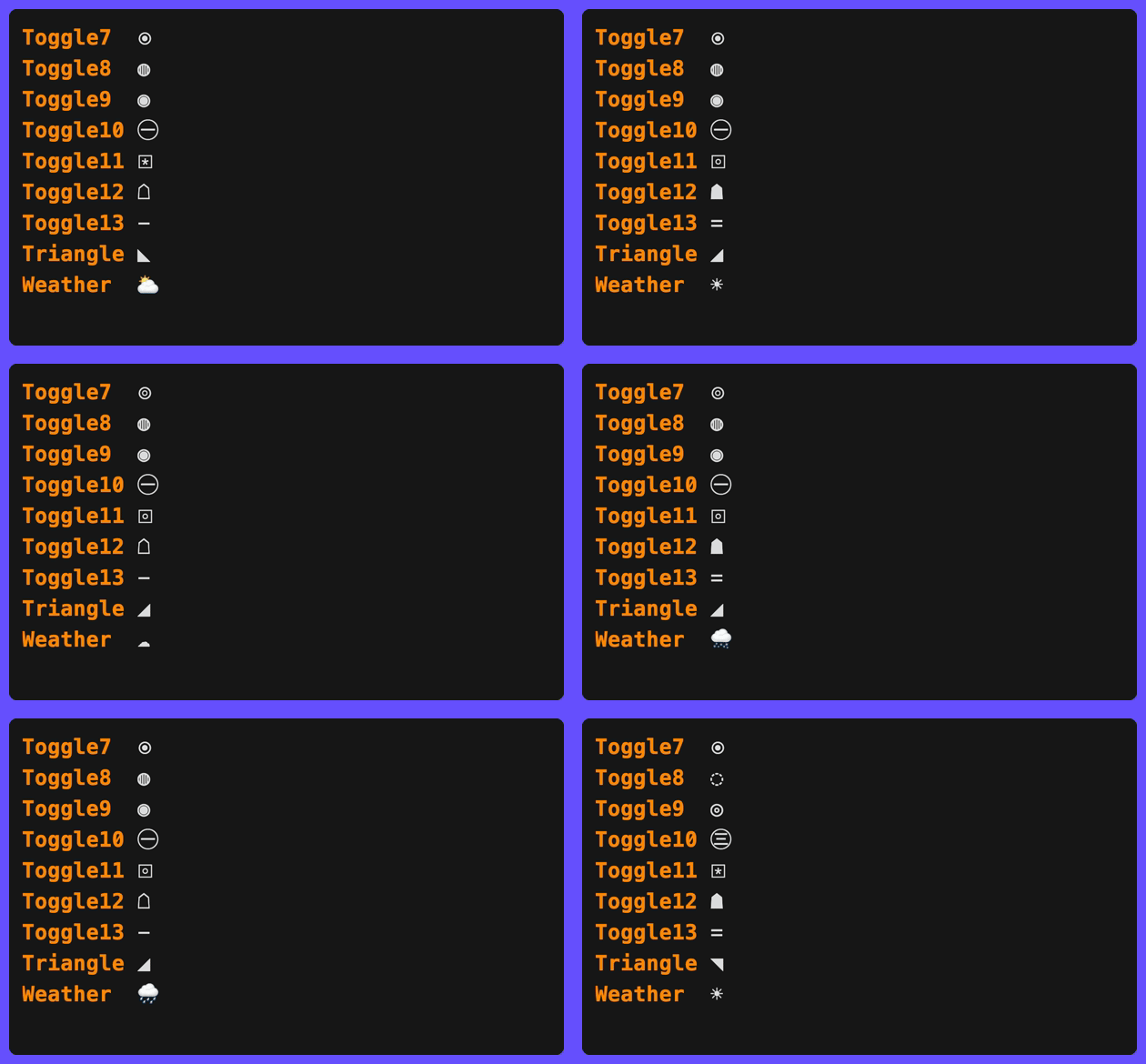
See fx/spinner/presets.go for the full list of available spinner types.
Individual style properties can be overridden without replacing the entire style:
| Option | Description |
|---|---|
spinner.WithFrames(f...) | Animation frames (e.g. "⠋", "⠙", "⠹", "⠸") |
spinner.WithInterval(d) | Duration per frame (values ≤ 0 keep existing) |
spinner.WithBoomerang() | Ping-pong playback - reverses at each end instead of jumping |
spinner.WithReverse() | Play frames in reverse order |
spinner.WithGradient(stops...) | Animate the glyph color through gradient stops (no stops = default rainbow) |
spinner.WithGradientTiming(t) | What drives the color: GradientFrameSynced (default) or GradientTimeBased |
spinner.WithGradientSpeed(s) | Gradient cycles per second in GradientTimeBased mode (values ≤ 0 keep existing) |
spinner.WithGradientMode(m) | Color transitions: style.GradientFade (smooth) or style.GradientStep (discrete) |
// Custom frames with a slower tick
clog.Spinner("Loading",
  spinner.WithFrames("⠋", "⠙", "⠹", "⠸", "⠼", "⠴", "⠦", "⠧", "⠇", "⠏"),
  spinner.WithInterval(120*time.Millisecond),
).
  Wait(ctx, action).
  Msg("Done")
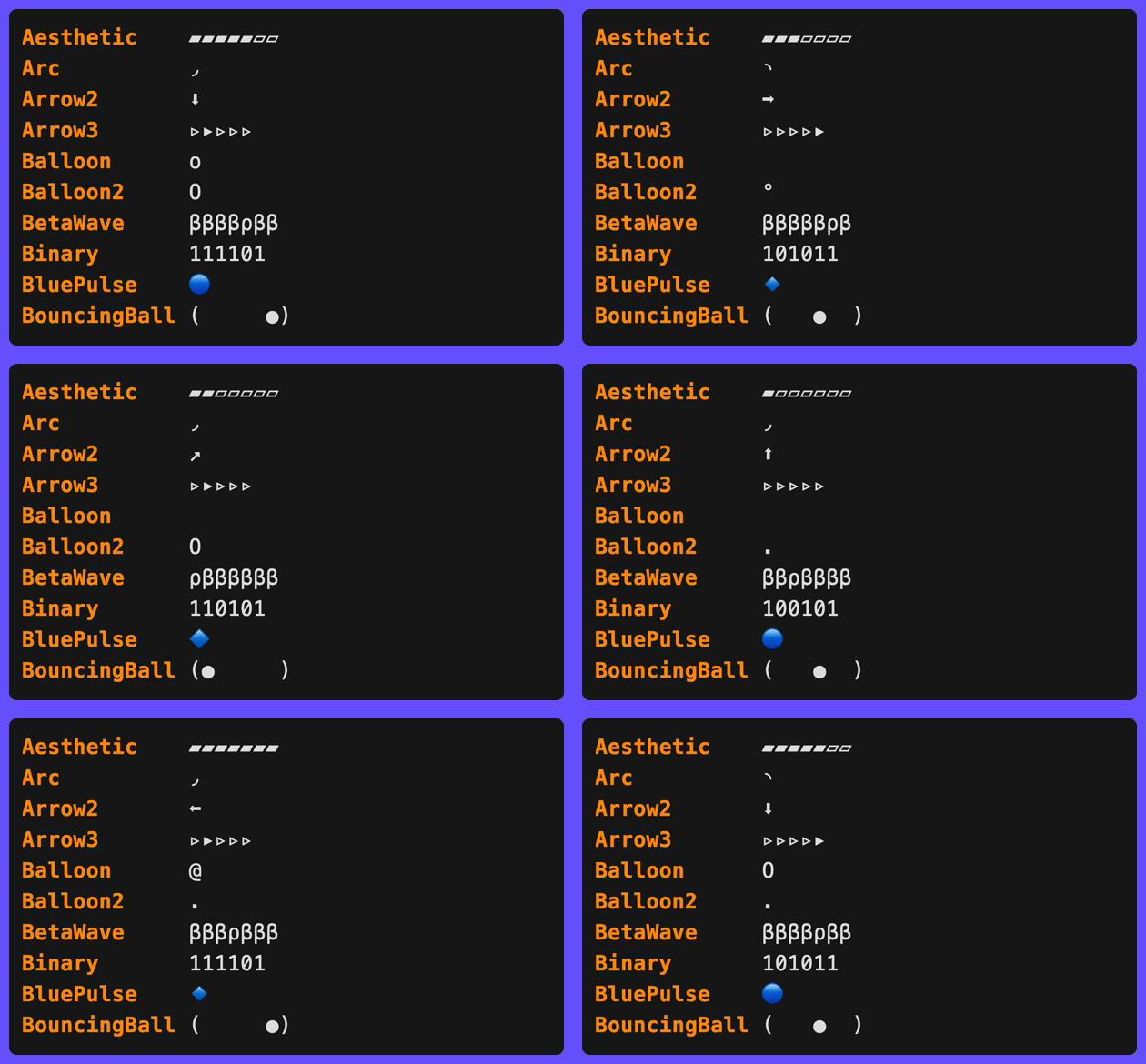
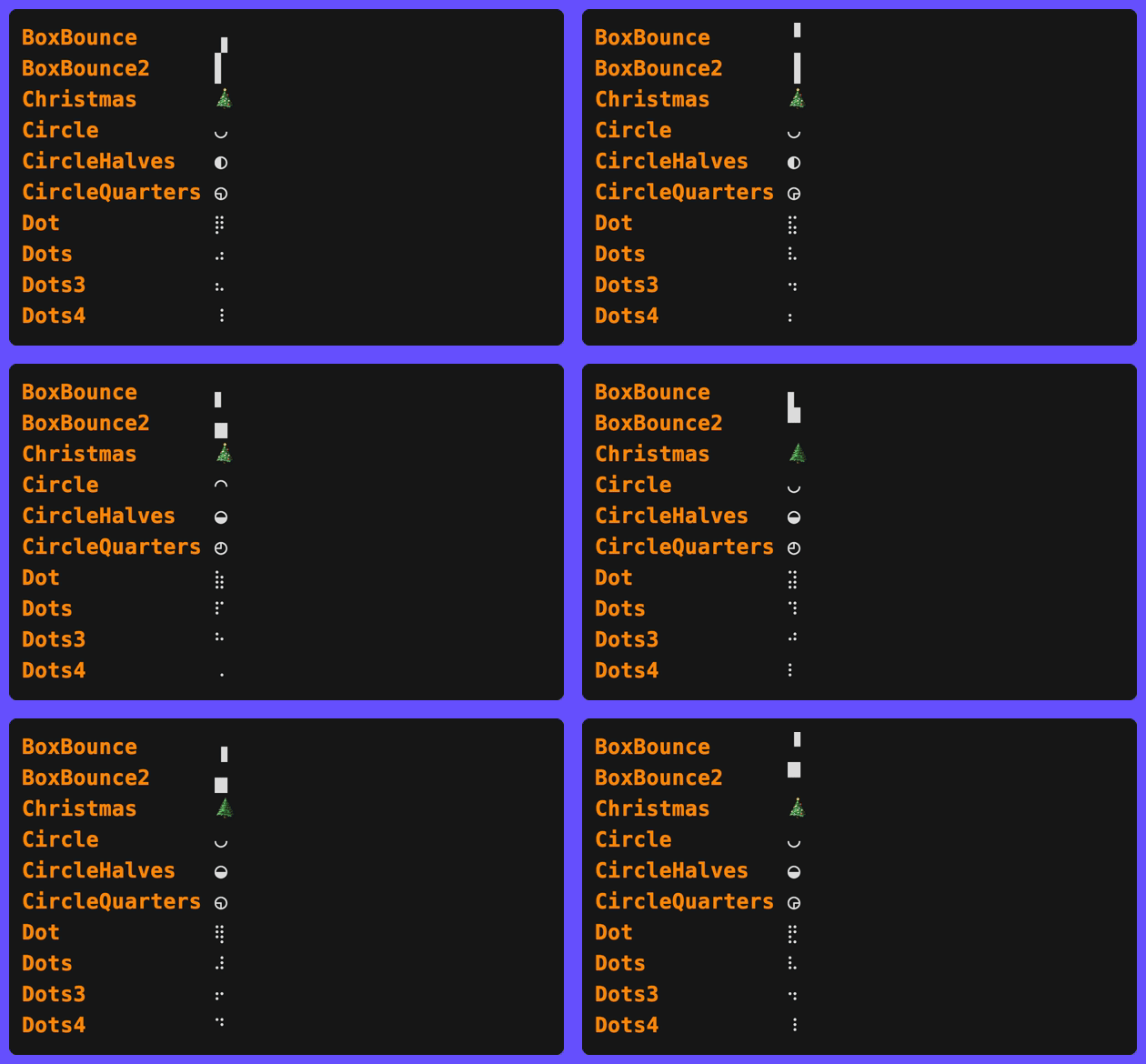
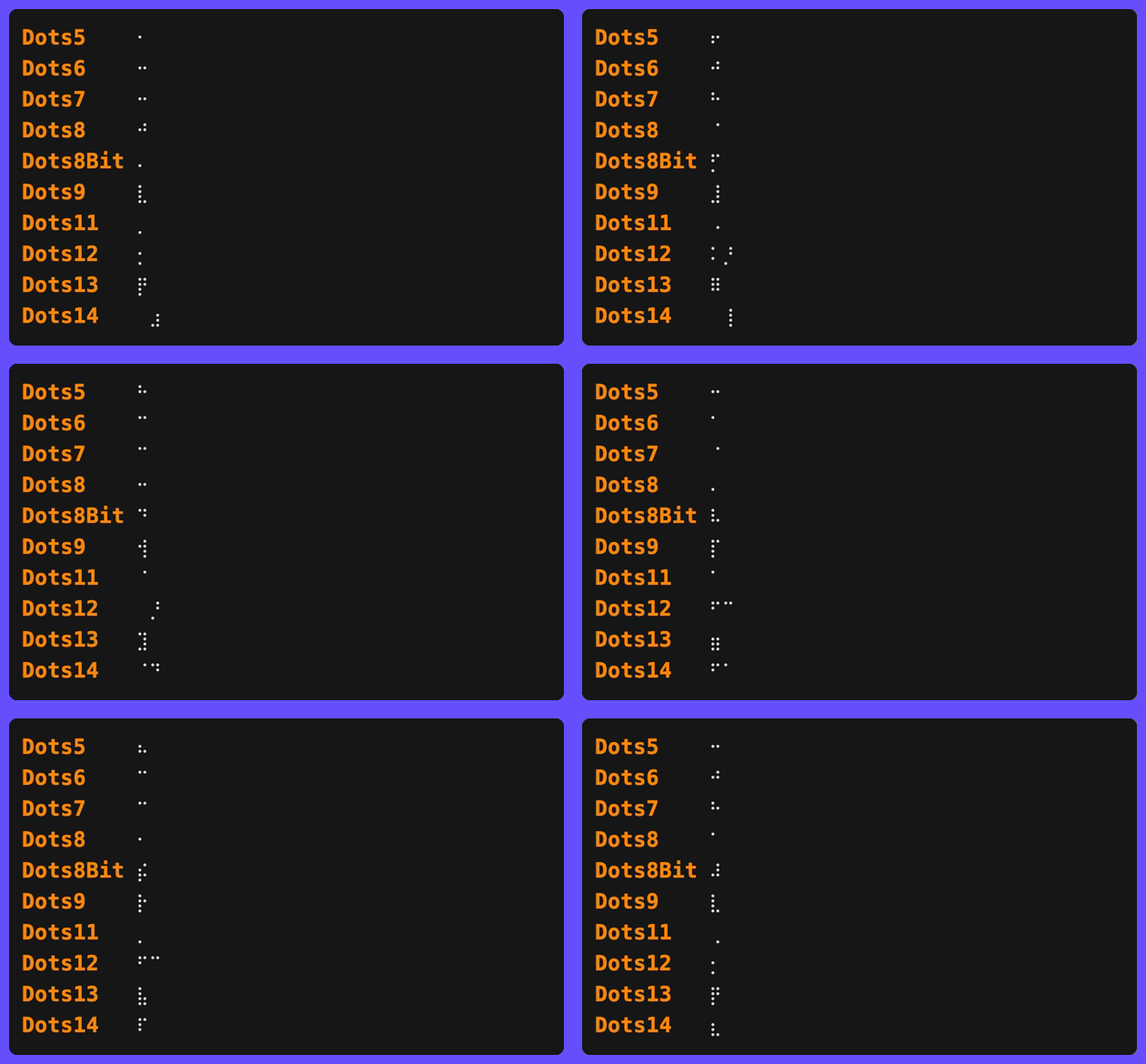
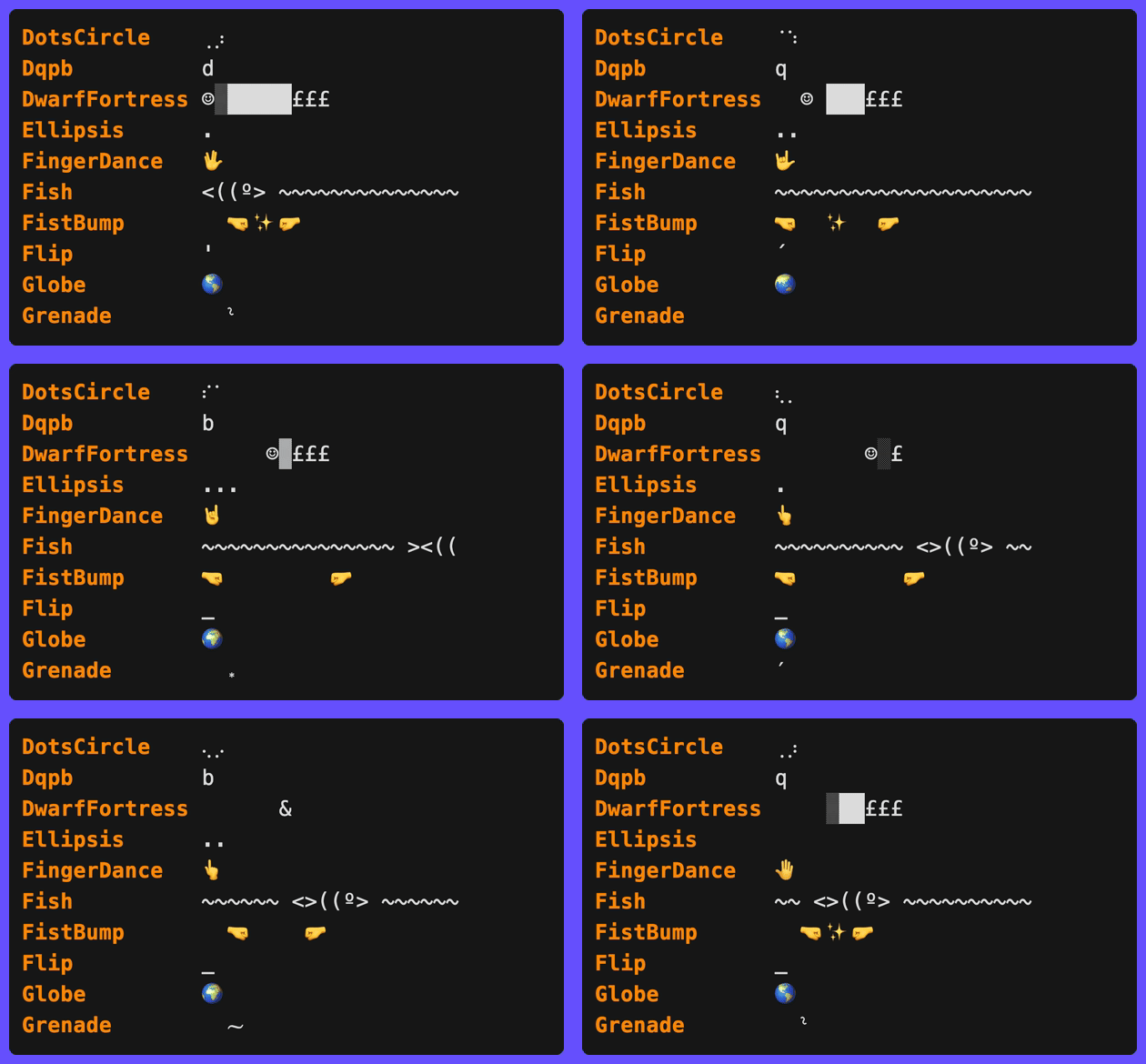
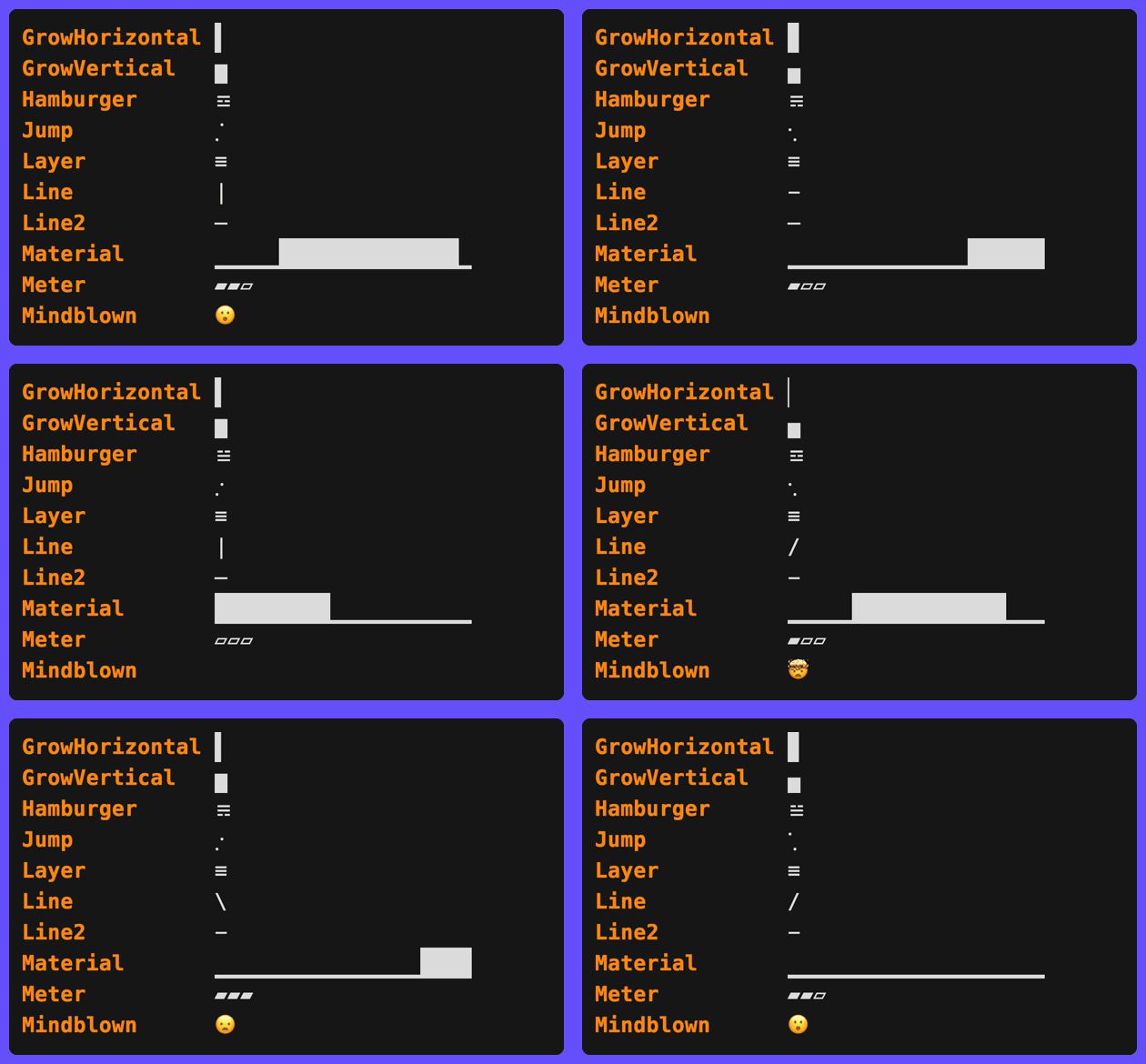
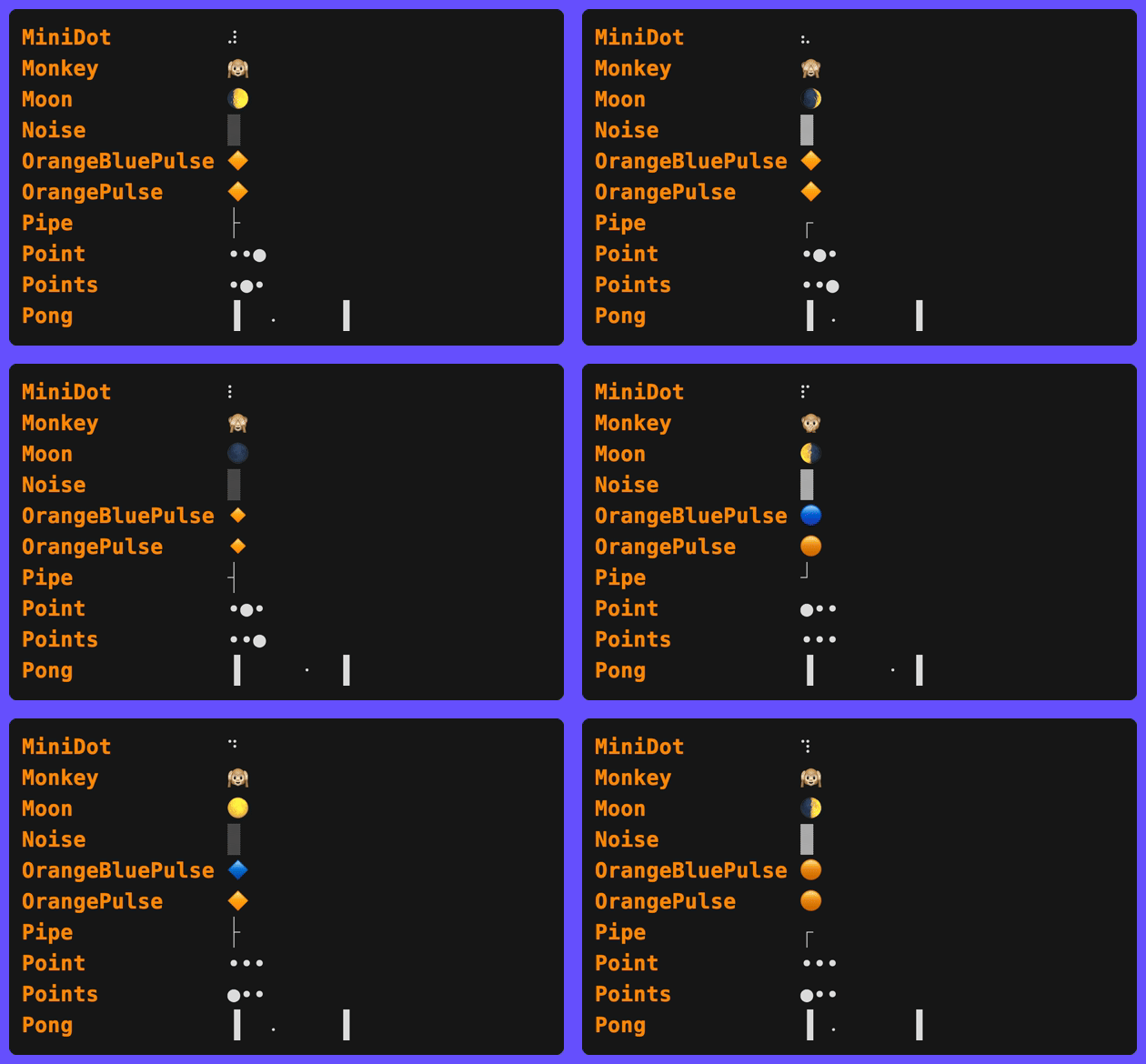
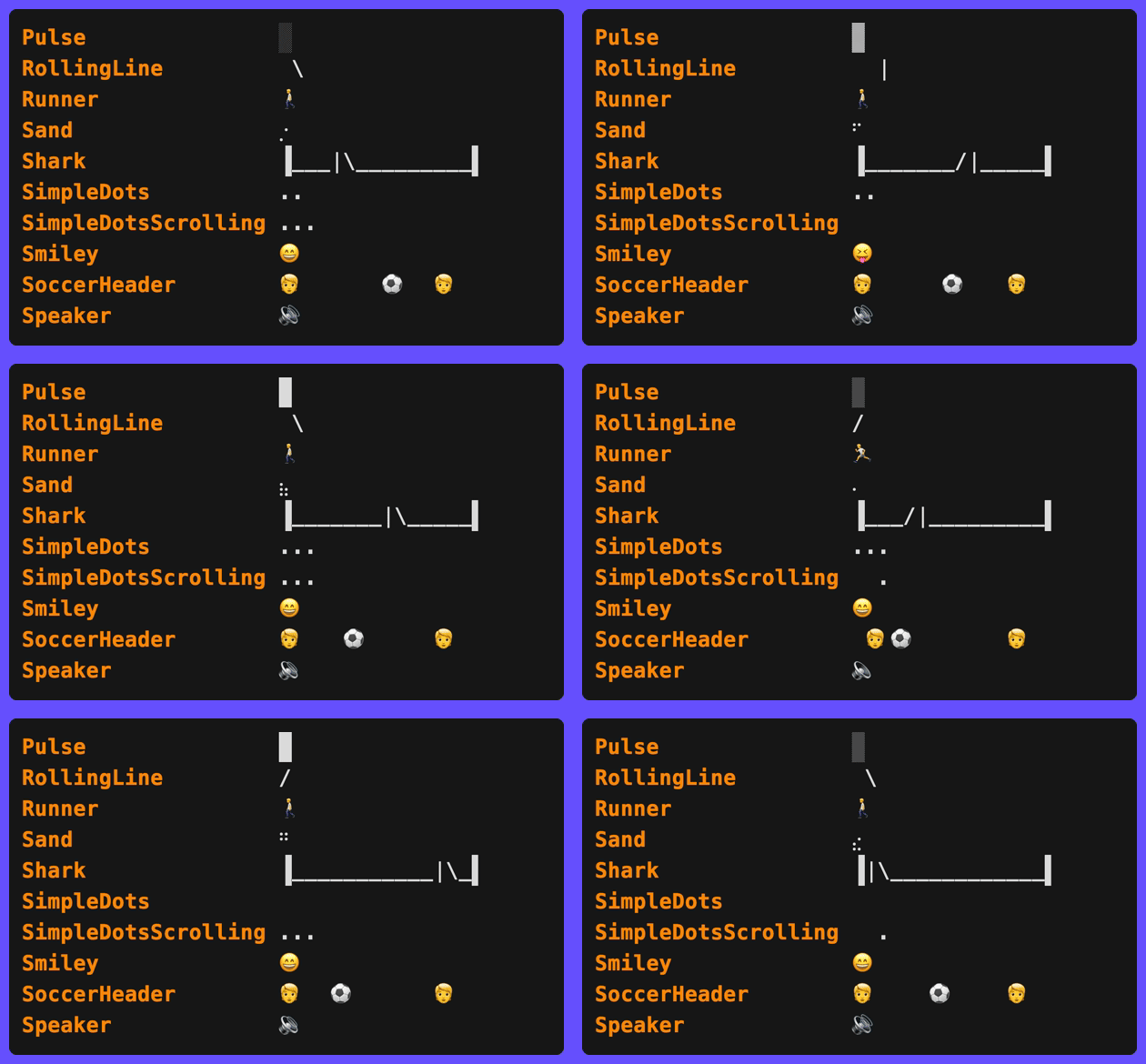
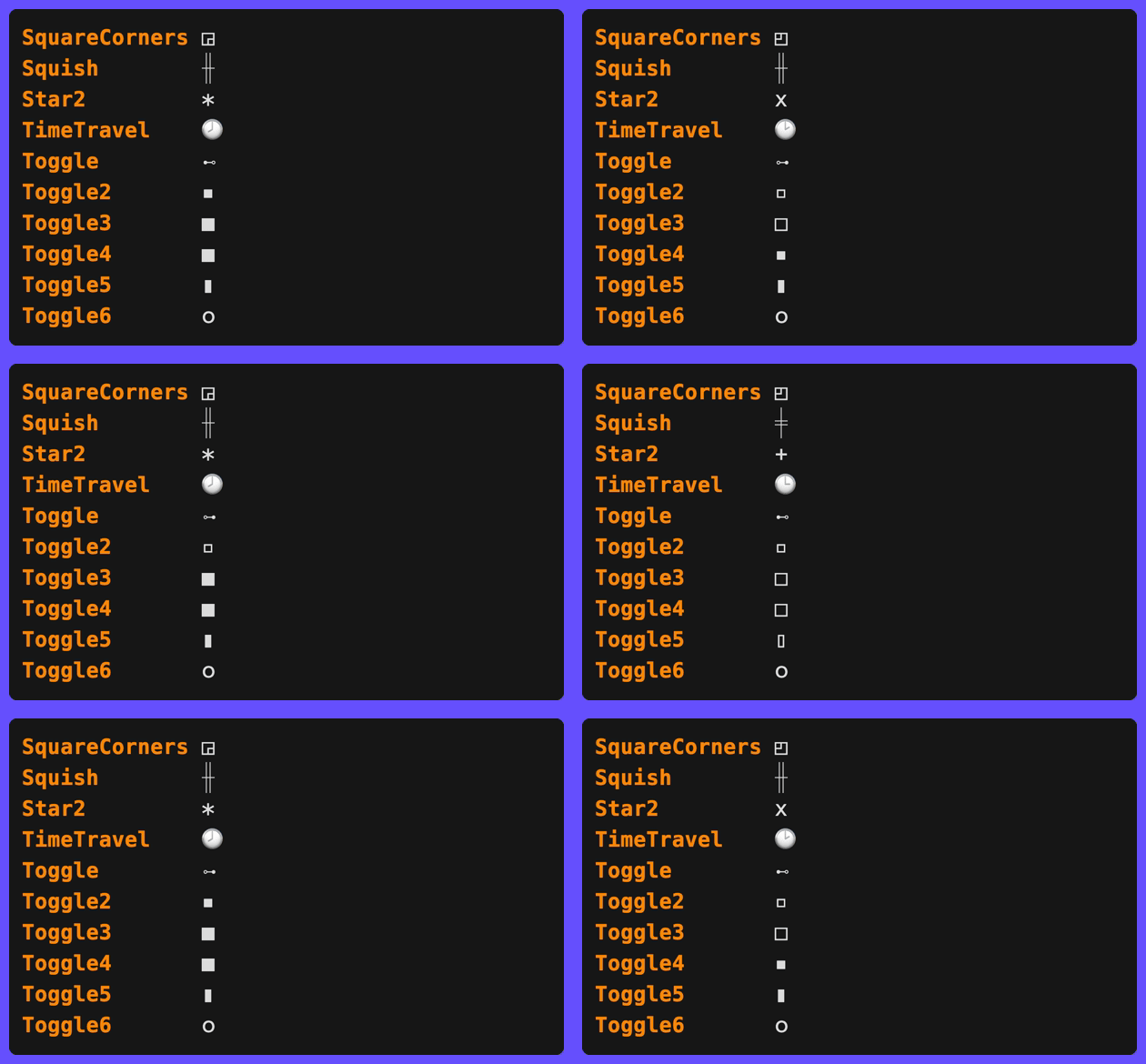
Gradient Spinners
spinner.WithGradient animates the spinner glyph color through a gradient, changing color as the spinner runs instead of using the level’s static symbol color:
// Default rainbow gradient, one full sweep per spinner revolution
clog.Spinner("Loading", spinner.WithGradient()).
  Wait(ctx, action).
  Msg("Done")

// Custom stops
clog.Spinner("Loading",
  spinner.WithGradient(
    style.ColorStop{Position: 0, Color: colorful.Color{R: 1, G: 0.4, B: 0.4}},
    style.ColorStop{Position: 0.5, Color: colorful.Color{R: 0.4, G: 0.6, B: 1}},
    style.ColorStop{Position: 1, Color: colorful.Color{R: 1, G: 0.4, B: 0.4}},
  ),
).
  Wait(ctx, action).
  Msg("Done")
Two timing modes control what drives the color phase:
spinner.GradientFrameSynced(default) - the color advances one gradient step per frame, completing exactly one sweep per spinner revolution. The color changes on every tick and stays deterministic per frame.spinner.GradientTimeBased- the color phase is driven by elapsed time multiplied byspinner.WithGradientSpeed(cycles per second, default 0.5), independent of the frame count or interval. The color keeps cycling smoothly even between frame advances, like the pulse and shimmer effects.
// Slow spinner whose color still cycles smoothly between frame changes
clog.Spinner("Waiting",
  spinner.WithConfig(spinner.Moon),
  spinner.WithGradient(),
  spinner.WithGradientTiming(spinner.GradientTimeBased),
  spinner.WithGradientSpeed(1),
).
  Wait(ctx, action).
  Msg("Done")
For a seamless wrap in either mode, repeat the first stop’s color at Position: 1 (the default gradient does this). While the gradient is active it replaces the level symbol style; the done-line symbol and any SetSymbol override keep the level styling. Gradients are inert when colors are disabled (NO_COLOR, non-TTY writers).
spinner.WithGradientMode(style.GradientStep) switches from smooth interpolation to discrete color jumps at each stop boundary.
Hyperlink Fields on Animations
Animations support the same clickable hyperlink field methods as events:
clog.Spinner("Building").
  Path("dir", "src/").
  Line("config", "config.yaml", 42).
  Column("loc", "main.go", 10, 5).
  URL("docs", "https://example.com").
  Link("help", "https://example.com", "docs").
  Wait(ctx, action).
  Msg("Built")
Elapsed Timer
Add a live elapsed-time field to any animation with .Elapsed(key):
err := clog.Spinner("Processing batch").
  Str("batch", "1/3").
  Elapsed("elapsed").
  Int("workers", 4).
  Wait(ctx, processBatch).
  Msg("Batch processed")
// INF ✅ Batch processed batch=1/3 elapsed=2s workers=4
The elapsed field respects its position relative to other field methods - it appears between batch and workers in the output above because .Elapsed("elapsed") was called between .Str() and .Int().
The display format uses the logger’s FieldFormats. Live elapsed fields default to stable whole-second rendering through the default ElapsedScale and are hidden below ElapsedMinimum (default 1s). Set ElapsedScale = nil to inherit the shared magnitude-keyed TimeScale, provide a dedicated scale, or fully override formatting with ElapsedFormat. Durations >= 1m use composite format (e.g. “1m30s”, “2h15m”).
.Elapsed(key) also accepts elapsed.Option values to override the gradient max, stops, or transition mode for this animation’s field only - see Per-Field Overrides:
err := clog.Spinner("Processing batch").
  Elapsed("elapsed", elapsed.WithGradientMax(10*time.Second)).
  Wait(ctx, processBatch).
  Msg("Batch processed")
Fields added at runtime via a live update (see Dynamic Status Updates) always render after the builder’s base fields, so a runtime-added field would normally appear after the elapsed timer. Pass elapsed.Trailing() to pin the elapsed field to the end of the row regardless:
err := clog.Spinner("Deploying").
  Str("env", "production").
  Elapsed("elapsed", elapsed.Trailing()).
  Progress(ctx, func(ctx context.Context, update *clog.Update) error {
    update.Str("tag", "v1.2.3").Send() // runtime-added field
    return deploy(ctx)
  }).
  Msg("Deployed")
// INF ✅ Deployed env=production tag=v1.2.3 elapsed=2s
Deadline Countdown
.Deadline(key, from) is the countdown mirror of the elapsed timer: the field displays the time remaining (counting down to 0s), colored by the time consumed - green when fresh, red near expiry, with from as the gradient maximum:
err := clog.Spinner("Waiting for confirmation").
  Deadline("timeout", 15*time.Second).
  Wait(ctx, waitForConfirmation).
  Msg("Confirmed")
// renders timeout=15s, 14s, ... 1s while waiting
Remaining time rounds with the ceiling (a countdown never shows 0s until truly expired), and ElapsedMinimum never hides the field. Builder deadlines are omitted from the done row by default because the final remaining value is usually stale; use deadline.WithOmitOnDone(false) to keep it. .Deadline accepts deadline.Option values - deadline.WithGradient/deadline.WithGradientMode to restyle, and deadline.WithTrailing() to pin the field to the end of the row like elapsed.Trailing(). See Deadline for the event-level form and configuration details.
Per-Event Parts Override
Override the part order for a spinner and its completion message without mutating the logger:
err := clog.Spinner("Indexing files").
  Parts(clog.PartSymbol, clog.PartMessage).
  Wait(ctx, indexFiles).
  Msg("Indexed")
// ✅ Indexed   (no level label or fields)
When set on animations, the override applies to both the animation rendering and the default completion message. You can further override on the WaitResult if the completion needs different parts:
clog.Spinner("Syncing").
  Parts(clog.PartMessage).          // animation: message only
  Wait(ctx, sync).
  Parts(clog.PartLevel, clog.PartMessage).  // completion: add level back
  Msg("Synced")
Non-TTY Silent
By default, animations print a static status line on non-TTY writers (CI, piped output) so the user knows something is in progress. Use NonTTYSilent to suppress this line entirely - the task still runs, only the output is hidden:
err := clog.Spinner("Reticulating splines").
  NonTTYSilent(true).
  Wait(ctx, reticulateSplines).
  Msg("Splines reticulated")
On a terminal, the spinner animates normally. When piped, no output is produced until the completion message.
This is useful for decorative animations that add noise in CI logs. For level-based suppression across all animations, see SetNonTTYLevel.
NonTTYSilent works with all animation types: spinners, bars, pulses, shimmers, and groups.
Delayed Animation
Use .After(d) to suppress the animation for an initial duration. If the task finishes before the delay, no animation is shown at all - useful for operations that are usually fast but occasionally slow:
err := clog.Spinner("Fetching config").
  After(time.Second).
  Wait(ctx, fetchConfig).
  Msg("Config loaded")
If fetchConfig completes in under 1 second, the user sees nothing until the final “Config loaded” message. If it takes longer, the spinner appears after 1 second.